> ## Documentation Index
> Fetch the complete documentation index at: https://docs.bevits.com/llms.txt
> Use this file to discover all available pages before exploring further.
# RFM segments
> Learn what RFM segments are and how to use them in Bevits.
### What is RFM segmentation?
RFM segmentation is an analytical method that categorizes customers according to three fundamental purchasing behaviors:
* **Recency (R)**: Time since the customer's last purchase.
* **Frequency (F)**: Number of purchases made during a given period.
* **Monetary value (M)**: Total amount spent by the customer during the period analyzed.
This approach accurately identifies both high-potential customers who purchase frequently and spend more, and customers whose engagement is declining. You can then create more effective, targeted campaigns.
### Benefits of RFM segmentation in Bevits
##### 1. Personalized communication
Send different offers to specific segments:
* **Champions**: Premium-value customers for your business
* **Loyal**: Customers with strong brand loyalty
* **Recent**: Customers who purchased recently
* **Needs attention**: Customers with a limited purchase history
* **At risk**: Customers who have not purchased for an extended period
* **Inactive**: Customers with no recent transaction activity
* **Unclassified**: New contacts or contacts without a transaction history
##### 2. Targeted strategies
Personalize and automate campaigns:
* Exclusive benefits for the Champions segment
* Reactivation messages for Inactive customers
* Welcome incentives for the Recent segment
##### 3. Better results
Segmented communications produce better open, engagement, and conversion metrics.
### How to access RFM segments
1. Open the sidebar and select **Customers**.
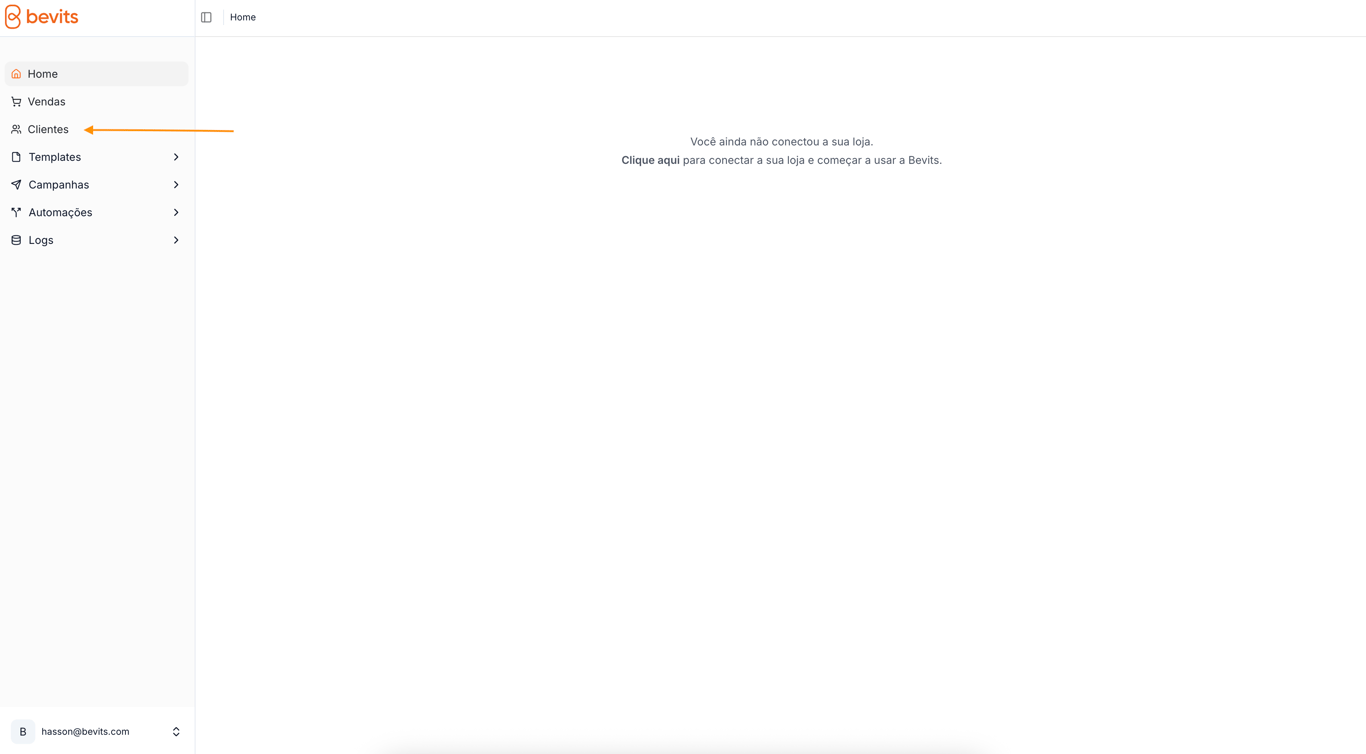
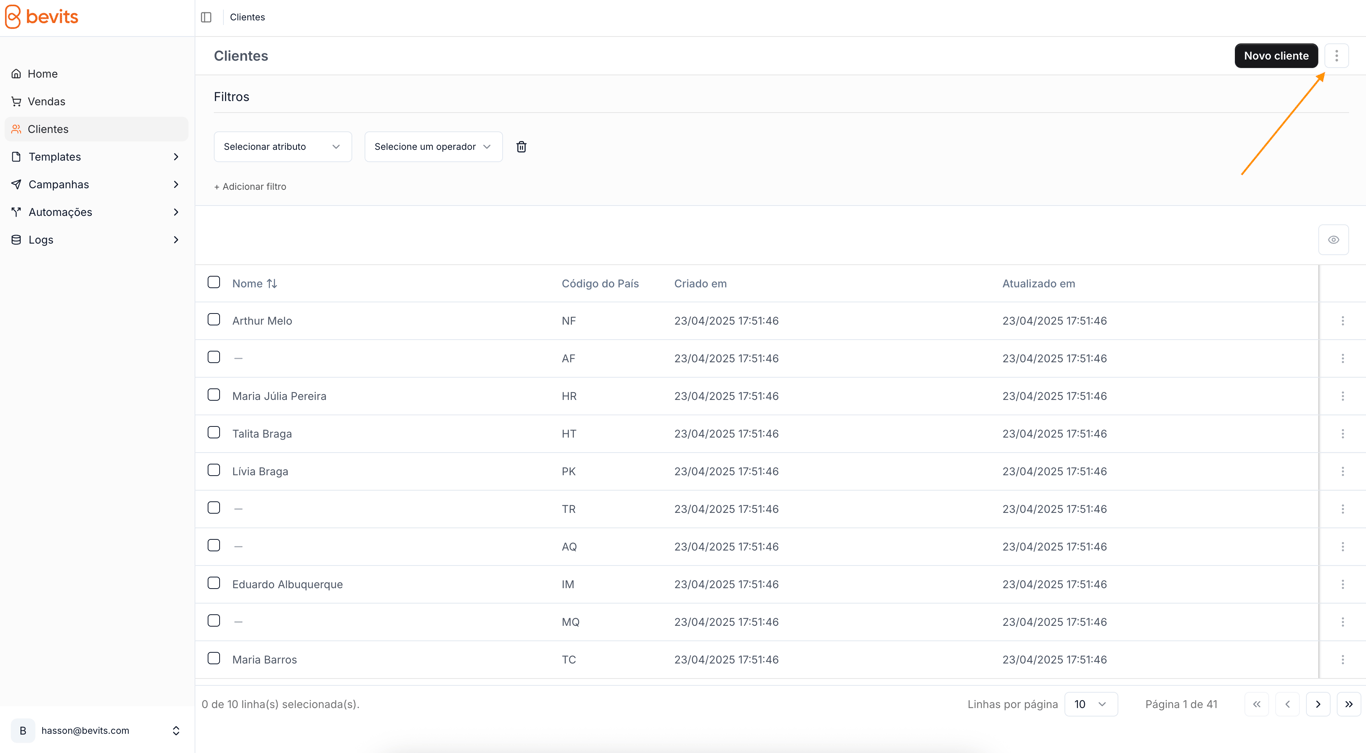
2. Find the three-dot icon in the upper-right corner next to the **New customer** button, then click it.
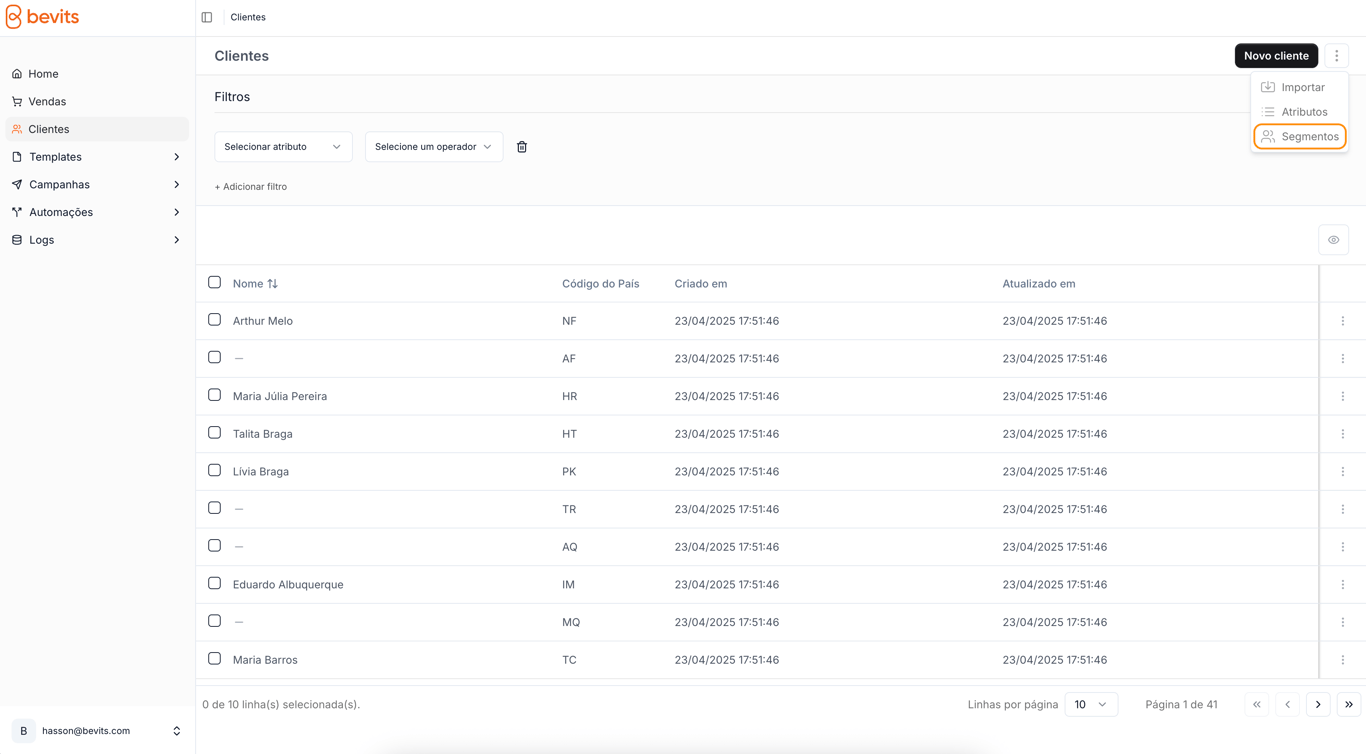
3. Select **Segments** from the menu.
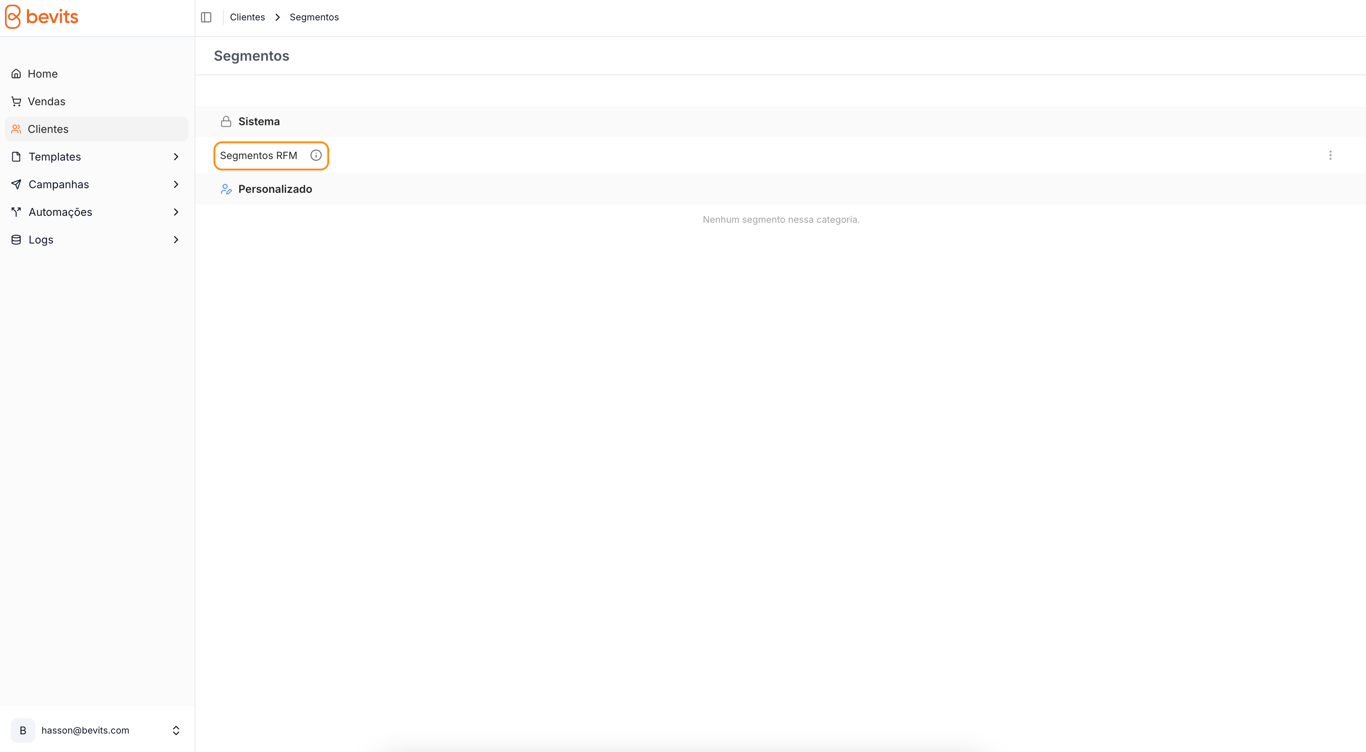
4. On the segments screen, select **RFM segments** in the **System** category.
### Detailed segment analysis
* Select the name of any segment in the percentage distribution table.
* The system displays the complete list of customers in that segment, including:
* Full name
* Email address
* Date of the most recent transaction
* Total lifetime purchase value
> Use filters and search to find specific customers efficiently.
### Strategic recommendations
* **Seasonal campaigns**: Target customers in the At risk segment before holidays and other special dates.
* **Loyalty program**: Create exclusive benefits for the Champions segment.
* **Reactivation strategies**: Offer specific incentives to the Inactive segment.
> Using RFM segmentation strategically in Bevits enables precise marketing communications and better customer relationships, increasing operational efficiency and business results.
### Configuring RFM parameters
> *We do not recommend changing the default RFM parameters. If you need to adjust them, follow these steps and contact support if you have questions.*
To adjust the segmentation criteria:
1. Select **Edit RFM parameters** using the button in the upper-right corner.
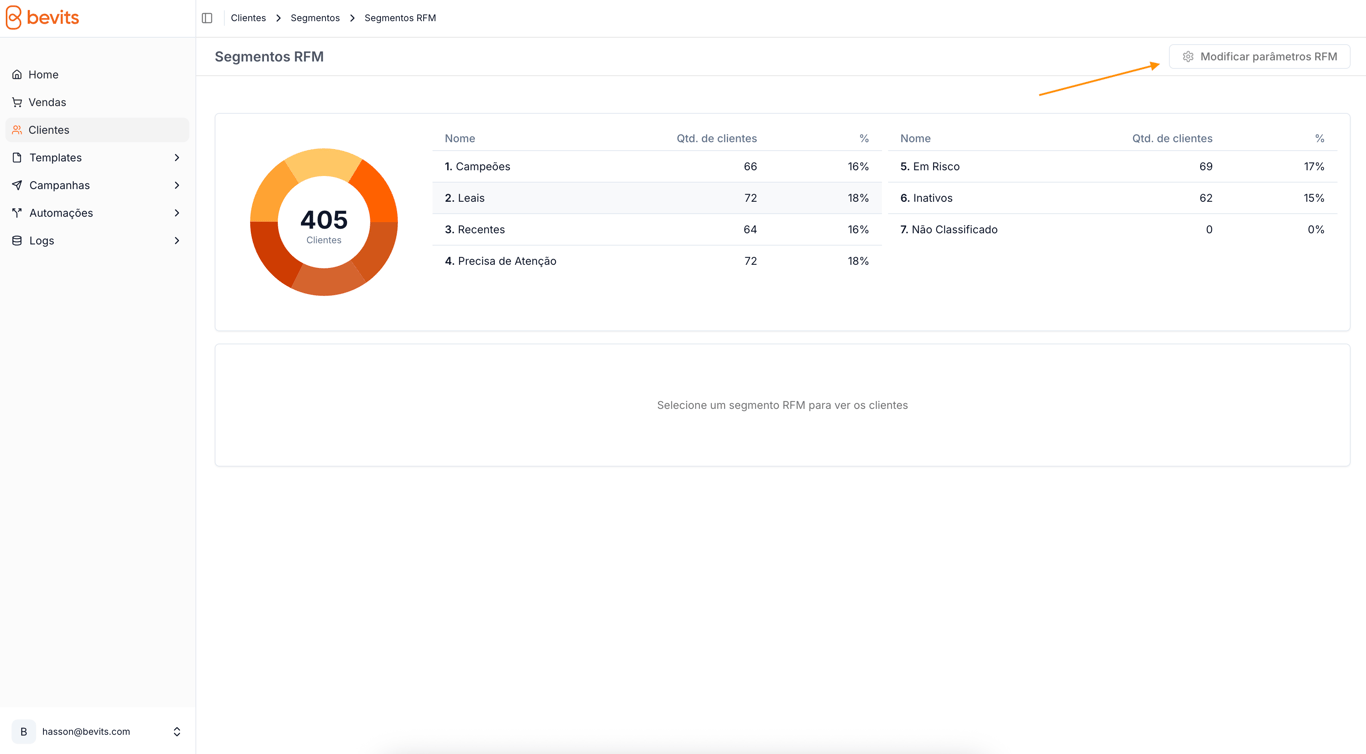
2. Set the lower and upper limits for:
* **Recency (days)**: For example, a range from 7 to 30 days
* **Frequency (number of transactions)**: For example, a range from 1 to 4 purchases
* **Value**: For example, a range from 50 to 150
3. Confirm your changes by selecting **Save**.
### Accessibility